
You redesigned your product pages last quarter.
Traffic stayed flat.
Revenue dropped 11%.
And nobody on your team can tell you why, because you pushed the changes live to 100% of visitors with zero testing.
That scenario just became avoidable.
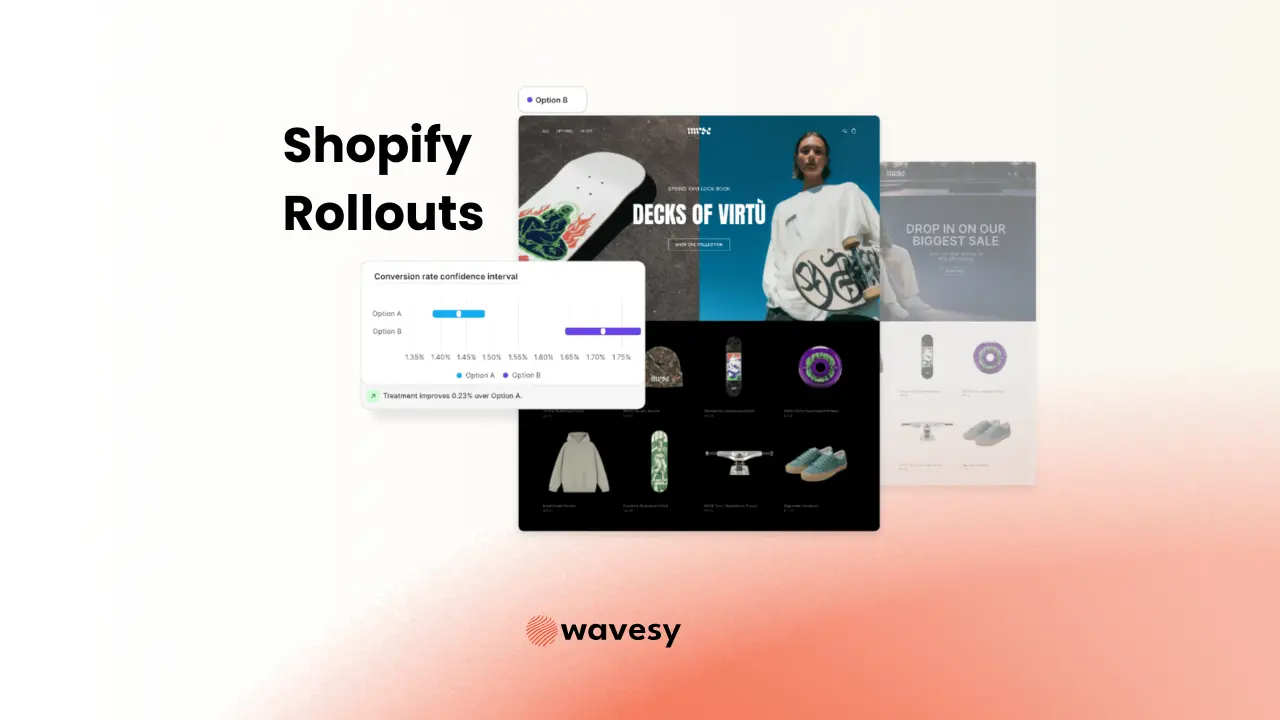
Shopify Rollouts is a native split testing and controlled deployment feature built directly into the Shopify admin.
No third-party app. No injected scripts. No additional monthly fee.
It shipped as part of Shopify's Winter '26 Edition and is now available in early access.
At Wavesy, we have spent years helping DTC brands build structured experimentation programmes on Shopify, often wrestling with third-party tools, script conflicts, and page speed trade-offs just to run a simple A/B test.
The arrival of native testing inside the admin is a genuine inflection point. According to Shopify's own Winter '26 announcement, the platform processed $14.6 billion in sales during their most recent Black Friday Cyber Monday period alone, and Rollouts is built on that same infrastructure.
TL;DR
- Shopify Rollouts is a native feature that lets you stage, schedule, and split-test theme changes directly from the Shopify admin, with zero app installs or external scripts.
- You control the percentage of visitors who see changes and can run multiple rollouts simultaneously, turning controlled deployments into proper A/B tests.
- It tracks conversion rate, average order value, and revenue against your live store automatically.
- Rollouts pairs with SimGym, Shopify's AI simulation tool, for a two-stage validation pipeline: synthetic signal first, then real-traffic confirmation.
- Current limitations include no Liquid template changes, no audience segmentation, and no custom goal tracking, making it ideal for theme-level tests but not a full CRO platform replacement (yet).
- For DTC brands that were never testing at all, this eliminates the biggest barrier to entry: cost, complexity, and setup friction are now zero.
What Is Shopify Rollouts?
Shopify Rollouts is a centralised system for managing, scheduling, and testing changes to your online store theme before publishing them permanently. It lives inside the Shopify admin under Markets > Rollouts (and also appears as a button next to your published theme in Online Store > Themes).
What makes Rollouts fundamentally different from the third-party testing tools that have dominated the Shopify ecosystem for years is where it runs. Tools like Shoplift, Intelligems, Convert, and Optimizely all inject external JavaScript into your storefront. That adds page weight, creates potential script conflicts, and introduces a dependency outside Shopify's infrastructure. Rollouts runs server-side on Shopify's own systems. The split happens before the page renders, not after.
The other major difference is cost. Dedicated A/B testing tools typically run $50 to $500+ per month depending on traffic volume. Rollouts is included in your existing Shopify subscription. For brands on the fence about whether testing is worth the investment, the financial barrier is now gone.
TL;DR: Rollouts is built-in, server-side A/B testing for Shopify themes with zero additional cost or setup.
How Does Shopify Rollouts Work?
Rollouts follows a straightforward workflow: create a rollout, make your theme changes, control who sees them, measure performance, and decide whether to push to everyone. Here is how each step works.
Step 1: Create a Rollout
From your Shopify admin, navigate to Markets > Rollouts (or click the Rollouts button next to your published theme). Click Create rollout. Give it a clear, descriptive name. "Test 1" helps nobody. Something like "Homepage V2, Video Hero, March 2026" tells your team exactly what is being tested and when.
Step 2: Set Your Traffic Percentage
Choose what percentage of visitors will see the rollout changes. The default is 100%, but starting at 10% to 25% is the smart move for any test. You can increase the percentage later as you gain confidence. For a proper A/B test, set two rollouts at 50/50 with different variations.
Pro tip: Start at 10% for the first 48 hours. If your conversion rate and revenue hold steady, scale to 25%. Then 50%. This graduated approach catches problems before they reach your full audience.
Step 3: Customise Your Theme for the Rollout
Click into the theme editor from within your rollout. Every change you make applies only to that rollout. Your live store remains untouched. Areas you do not customise automatically stay synchronised with your published theme, so you can test a single hero banner swap without rebuilding your entire site.
Step 4: Schedule (Optional)
You can set start and end dates for rollouts. This is especially valuable for seasonal campaigns, product launches, or promotional events where timing matters. Schedule your Black Friday theme two weeks early, set it to go live at midnight, and let the system handle it.
Step 5: Monitor and Decide
Shopify provides built-in analytics comparing your rollout performance against your live store. The key metrics tracked are:
Metric | What It Tells You |
|---|---|
Conversion Rate | Are more visitors completing purchases with the new version? |
Average Order Value | Are visitors spending more per transaction? |
Revenue | What is the bottom-line impact? |
Traffic Distribution | Is the split holding at the percentage you set? |
When you have enough data, you either apply the changes (the rollout becomes your live theme) or discard them (your original stays untouched).
Step 6: Pair with SimGym for Maximum Confidence
Shopify also released SimGym, an AI simulation tool that creates synthetic shoppers trained on data from billions of real Shopify transactions. The recommended workflow is a two-stage pipeline:
- SimGym first: Run your planned changes through AI shoppers to catch obvious friction points before any real visitor sees them.
- Rollouts second: Deploy to a small percentage of real traffic to confirm the direction with actual purchase behaviour.
This combination gives you synthetic signal followed by statistical confidence, all within Shopify's native tooling.
Stage | Tool | Purpose | Data Source |
|---|---|---|---|
Pre-launch validation | SimGym | Catch obvious UX problems | AI agents trained on billions of transactions |
Live testing | Rollouts | Confirm with real behaviour | Actual visitor traffic to your store |
Decision | Rollouts analytics | Push or discard | Conversion rate, AOV, revenue comparison |
What Are the Benefits of Shopify Rollouts?
- Zero additional cost: Rollouts is included in your Shopify subscription. No monthly testing tool fees eating into your margins. For brands spending $100 to $500/month on third-party A/B testing apps, this is immediate savings.
- No page speed penalty: Because Rollouts runs server-side on Shopify's infrastructure, there are no external scripts injected into your storefront. Third-party tools add JavaScript that increases page load time, which Google's own research shows can reduce conversions significantly. Rollouts sidesteps this entirely.
- Simplified tech stack: Fewer apps mean fewer potential conflicts, fewer things to maintain, and fewer monthly subscriptions. Shopify's Winter '26 Edition explicitly positioned this as reducing third-party dependency.
- True server-side splitting: The traffic split happens before the page renders, not after. Visitors never see a flash of the original before the variation loads. This eliminates the flickering problem that plagues client-side testing tools.
- Graduated rollout control: The percentage slider lets you start at 10%, watch your metrics, scale to 25%, then 50%, and eventually push to 100%. This engineering-grade deployment pattern was previously only available to product teams at tech companies.
- Built-in scheduling: Automate theme changes for campaigns, product launches, and seasonal events. No more midnight deploys or remembering to manually switch themes at a specific time.
- Multi-market targeting: If you sell in multiple markets, you can target specific regions with different rollout variations. Test a localised hero banner in Germany while keeping your UK storefront unchanged.
- Confidence before commitment: The biggest hidden cost in ecommerce is the revenue lost when you push a bad change to 100% of visitors. Rollouts makes "test before you commit" the default, not the exception.
Shopify Rollouts Examples
Here is where things get exciting. Rollouts handles theme-level changes, and creative brands can push that further than you might expect.
Hero Section Showdown
Your homepage hero is the single most viewed element on your store. Test a lifestyle photography hero against a product-focused hero against a video hero. Create three rollouts, each at 33% traffic, and let your visitors decide which version drives more clicks and conversions.
Image suggestion: Side-by-side mockup of three different hero section variations for the same DTC brand.
Product Page Layout Overhaul
Your product pages convert at 2.1%. Industry benchmarks suggest top performers hit 3.5% to 5%+. Create a rollout that moves your size guide above the fold, enlarges product photography, and adds a sticky add-to-cart bar on mobile. Roll it out to 20% of traffic and measure the lift.
Image suggestion: Screenshot of a product page with annotations highlighting the changed elements.
Black Friday Theme, Zero Stress
Build your entire Black Friday storefront two weeks before the event. Schedule the rollout to go live at midnight on the day. Schedule it to end automatically when the sale closes. No manual intervention, no staying up late, no risk of forgetting to revert.
Image suggestion: Shopify admin screenshot showing scheduled rollout dates for a BFCM campaign.
Market-Specific Landing Pages
You sell in the US and UK. Your UK customers respond better to understated messaging and social proof, while your US audience prefers bold claims and urgency. Create separate rollouts per market with localised hero copy, trust badges, and CTAs. Measure which messaging framework drives more revenue in each region.
Image suggestion: Two versions of the same homepage, one with UK-focused messaging and one US-focused.
Navigation Redesign, Risk-Free
Changing your site navigation is terrifying. One wrong move and your bounce rate spikes. With Rollouts, you can test a simplified mega-menu against your current navigation at 10% traffic. If the data says the new version reduces bounce rate and improves pages-per-session, scale up. If it tanks, discard it and your live store never felt the impact.
Image suggestion: Before/after comparison of a simplified navigation menu.
Collection Page Grid Testing
Does your collection page convert better with a 3-column grid or a 4-column grid? Does adding quick-view functionality increase add-to-cart rates? Create a rollout with the new layout and let the numbers answer the question instead of your team's opinions.
Image suggestion: Collection page mockup showing 3-column versus 4-column product grid.
Platforms and Tools for Shopify A/B Testing
Rollouts is a powerful starting point. Depending on your testing maturity and needs, here are the tools that make up the current Shopify testing ecosystem:
- Shopify Rollouts: Native theme-level testing built into the admin. Zero cost, zero scripts, server-side splitting. Best for layout tests, hero variations, and graduated deployments.
- Shopify SimGym: AI-powered storefront simulation using synthetic shoppers trained on billions of Shopify transactions. Currently in research preview. Best used as a pre-Rollouts validation step.
- Shoplift: Full-featured A/B testing with Bayesian analysis, device segmentation, and AI-powered variant generation via their Lift Assist feature. Best for brands running a comprehensive testing programme.
- Intelligems: Specialises in price testing and profit optimisation alongside traditional CRO tests. Best for brands that want to test pricing strategies, which Rollouts cannot currently do.
- Convert Experiences: Enterprise-grade testing with advanced segmentation, custom goals, and RPV tracking. Best for sophisticated CRO teams that need granular targeting.
- Optimizely: Full experimentation platform with feature flagging and personalisation. Best for large-scale operations with developer resources.
- VWO: Visual editor-based testing with heatmaps and session recordings built in. Best for teams that want testing and behavioural analytics in one platform.
P.S. Want to understand how psychological principles should shape your A/B test hypotheses? Check out our Website Psychology Analysis Framework for the full 106-principle audit methodology.
Trends in Shopify A/B Testing
The testing landscape for Shopify merchants is shifting fast, and Rollouts is both a symptom and a catalyst of that shift.
Platform consolidation is accelerating. Shopify's strategy with the Winter '26 Edition is clear: bring capabilities in-house that merchants previously needed third-party apps to access. A/B testing, AI simulation, automated workflows, even app development through Sidekick. The trend is toward fewer apps, less complexity, and tighter integration.
AI-assisted testing is becoming mainstream. SimGym is just the beginning. The ability to simulate shopper behaviour using data from billions of real purchases creates a feedback loop that was impossible a year ago. Brands can pre-validate changes with AI, then confirm with live traffic. This two-stage approach will likely become standard practice.
As Shopify VP of Product Vanessa Lee stated: the focus is on moving AI from hype to everyday help, with reliable tools that make real work faster and smarter.
The testing maturity gap is widening. Brands that build experimentation into their operating rhythm will compound advantages over time. The more you test, the better you understand your audience, the better your test hypotheses become, and the faster your store performance improves. Rollouts removes the tooling barrier. The culture barrier, teams that actually define what they are testing, measure rigorously, and make decisions based on data, still needs to be built.
Server-side testing is becoming the standard. Client-side testing tools that inject JavaScript are increasingly seen as a liability, both for page speed and for accuracy. Rollouts running server-side signals where the industry is heading.
How Wavesy Approaches Shopify A/B Testing
At Wavesy, we have been building structured experimentation programmes for DTC brands long before Rollouts existed. The arrival of native testing inside Shopify does not change our methodology. It amplifies it.
Here is how we use Rollouts within our broader CRO framework:
1. Psychology-first hypothesis design. Every test starts with a hypothesis grounded in cognitive biases and decision science. We do not test random changes. We test specific psychological triggers mapped to your audience's buying motives. Our 106-principle psychology audit identifies exactly which principles your store applies well and which ones it misses entirely.
2. Two-stage validation with SimGym + Rollouts. We run SimGym simulations to catch obvious friction before any real visitor is exposed. Then we deploy via Rollouts at conservative traffic percentages, typically 10 to 20%, and scale up only when the data confirms our hypothesis.
3. Graduated rollout discipline. We never push a winning variation to 100% on day three. Our standard protocol is: 10% for the first week, 25% for week two, 50% for week three, and 100% only after we have statistical confidence across all key metrics.
4. Layered testing with specialised tools. Rollouts handles theme-level changes beautifully. For price testing, checkout optimisation, audience segmentation, and custom goal tracking, we layer in tools like Intelligems and Convert Experiences. The result is a comprehensive experimentation stack with Rollouts as the foundation.
5. Motive-based segmentation. We combine Rollouts data with our AI-powered customer motive analysis to understand not just what converts, but why it converts. This feeds directly into future test hypotheses, creating the upward spiral effect where every test makes the next one smarter.
Want to find out what we can do for your brand? Book a call today!
What Shopify Rollouts Cannot Do (Yet)
Transparency matters. Here is what Rollouts does not currently support, so you can plan accordingly:
Limitation | What This Means | Workaround |
|---|---|---|
No Liquid template changes | You can only test theme customisations made through the editor, not code-level modifications | Use a dedicated CRO tool for code-based tests |
No audience segmentation | You cannot show Version A to returning customers and Version B to new visitors | Layer in Shoplift or Convert for segmented tests |
No custom goal tracking | Success metrics are limited to Shopify's standard analytics (conversion rate, AOV, revenue) | Export data and calculate significance manually, or use a dedicated tool |
No pricing tests | Product pricing, discounts, and checkout flows are outside scope | Use Intelligems for price testing |
No confidence intervals shown | Rollouts does not display statistical significance indicators in its analytics dashboard | Use a free significance calculator or dedicated tool |
Translation limitations | Translation apps do not support text within rollout theme changes | Manage translated content manually for rollout variants |
Must archive before new themes | Publishing a new theme requires archiving all active, scheduled, or draft rollouts first | Plan theme publishes around your testing calendar |
Shopify has stated they plan to expand Rollouts to more surfaces, including products, discounts, and other areas. No specific timeline has been confirmed.
P.S. Already running tests but want a structured experimentation strategy? Our CRO audit and strategy service builds a full testing roadmap with prioritised hypotheses and expected impact projections.
FAQ
Is Shopify Rollouts free?
Yes. Rollouts is included in your existing Shopify subscription at no additional cost. There are no usage-based fees, no per-test charges, and no traffic caps. This is one of its biggest advantages over third-party testing tools that typically charge $50 to $500+ per month.
Does Shopify Rollouts replace my A/B testing app?
It depends on your testing needs. If you primarily test theme-level changes like hero sections, product page layouts, navigation, and collection grids, Rollouts handles that natively. If you need audience segmentation, custom goals, price testing, Liquid code changes, or checkout flow experiments, you will still need a dedicated tool. Many brands benefit from using both.
How much traffic do I need to run meaningful tests with Rollouts?
For statistically significant results, you generally need a minimum of 1,000 to 5,000 visitors per variant depending on your baseline conversion rate. If your store gets fewer than 5,000 monthly sessions, treat Rollouts results as directional, run tests longer, and focus on large, high-impact changes where differences are easier to detect.
Can I run multiple A/B tests at the same time?
Yes. You can create and run multiple rollouts simultaneously, each with its own traffic percentage. This is how Rollouts functions as an A/B testing tool: two or more rollouts with different changes, each receiving a share of your traffic. Just ensure your combined percentages account for your live store baseline.
What happens if a rollout hurts my conversion rate?
You can pause or discard a rollout at any time. If you set a scheduled end date, the rollout automatically stops at that point. Your live store remains unchanged throughout the test. The only irreversible action is applying a rollout, which merges those changes into your published theme.
How is Rollouts different from just duplicating my theme and publishing it?
Theme duplication is an all-or-nothing approach. You push changes to 100% of visitors instantly with no comparison data. Rollouts lets you control the percentage of visitors who see changes, compare performance metrics against your live store in real time, and make an informed decision before committing. It is the difference between guessing and knowing.
Shopify Rollouts is available now in early access. Navigate to Admin > Markets > Rollouts to get started. Set up your first test before your competitors do.
Your next experiment
deserves a clearer plan.
Turn your customer evidence into a prioritized CRO roadmap, with hypotheses, ownership, and a useful next step.
Explore CRO Strategy ↗